
Save Battery: See Tips for Mobile Phones
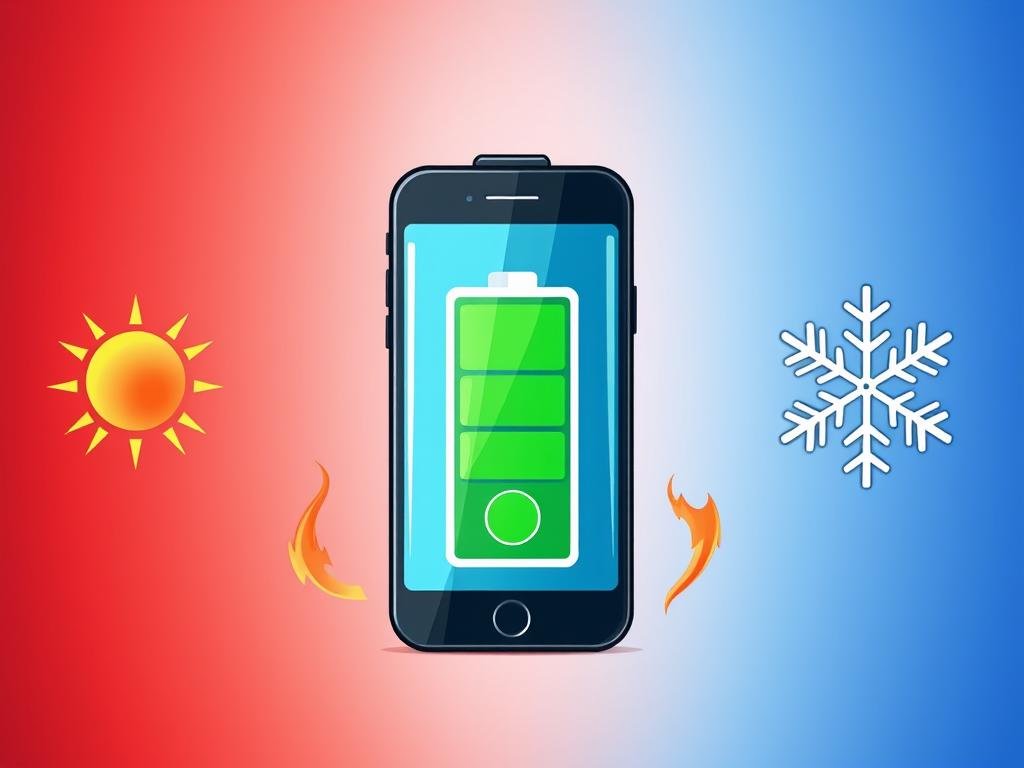
Tips for Saving Cell Phone Battery: Is your cell phone battery not lasting as long as you'd like? Don't worry, there are simple tips for saving battery life. This way, you can enjoy your smartphone for much longer. Are you ready to discover the best strategies for saving your device's battery?
Reduce Screen Brightness
O screen brightness consumes a lot of energy on your cell phone. The more light, the more battery it uses. Reduce the screen brightness is a simple way to save battery.
You can change the brightness manually in the settings. Or activate automatic brightnesswhich adjusts the light around the room. This reduces unnecessary energy use.
Adjust brightness manually
To change the screen brightness manually, follow these steps:
- Go to your phone's settings.
- Look for the screen brightness or brightness adjustment.
- Move the slider to the left to decrease the screen brightness and save battery.
Activate Auto Brightness
O automatic brightness adjusts the screen light to the environment. So you don't have to change the screen brightness at all times. This helps to save your screen battery.

To activate automatic brightness:
- Go to your phone's settings.
- Look for the automatic brightness or adaptive brightness.
- Activate this function so that your device adjusts the screen brightness automatically.
These are simple ways to reduce battery consumption of your cell phone. Adjusting the screen brightness. Try it and see the difference in the duration of your battery.
Activate Battery Saving Mode
O Battery Saving Mode helps a lot to make your battery last longer. It disables functions that use a lot of charge, such as network services and synchronization. It also slows down screen refresh.
When you activate Battery Saving ModeYour cell phone limits the use of applications. This helps save energy. It's great for when you need your phone to last longer, such as when traveling.

Some additional tips about the Battery Saving Mode:
- A Battery saving can be switched off when the load reaches 90%.
- Your cell phone will remind you of Battery saving when the battery is at 20% and 10%.
- O extreme battery saving mode disables more resources. Pauses applications and reduces processing, making the battery last longer.
Therefore, activating Battery Saving Mode is a great way to saving energy. This makes your smartphone last longer between recharges. Try this configuration and see the benefits of battery optimization.
Avoid extreme temperatures
To take care of your cell phone battery, it is essential to avoid temperatures that are too high or too low. A most manufacturers says that it's best to use your phone between 0°C and 45°C. If you go beyond that, the battery could be damaged and not work properly.
Effects of Heat on the Battery
Cell phone batteries don't like too much heat. Excess heat can cause your smartphone to malfunction. And in serious cases, it can even be dangerous. So don't leave your phone in the sun for too long.
Effects of Cold on the Battery
Cold weather also affects your phone's battery, although less severely than hot weather. In very cold places, the battery may not work properly. This can cause the phone to turn off. To avoid this, keep your phone warm in very cold places.
Maintaining temperature sure and protecting the battery is very important. This helps to save your phone's battery and make it last longer. Follow the manufacturers' tips and don't expose your phone to extreme temperatures.
"Keep your phone in a temperature range between 0°C and 45°C to avoid damaging the battery."
Prioritize the Wi-Fi network
An important tip is to use the Wi-Fi whenever you can. They consume less energy than 4G networks and 5G. This is because they don't need to maintain a constant connection.
When you're on the wireless network, it's good to disable mobile data. This helps prevent the cell phone from searching for a new signal. This can drain the battery more quickly.
If necessary, activate airplane mode also helps to save battery power. This function disables many energy-intensive functions.
- O Wi-Fi consumes less energy compared to 4G and 5G mobile data.
- Disable mobile data when connected to a network Wi-Fi.
- Activate airplane mode to save battery power when you don't need a connection to the internet.
Use the network Wi-Fi helps save a lot of battery life. This simple measure, together with other tips, will make your cell phone last longer. You'll need to recharge it less often.
Disable Location Services
The localization services can drain the battery of your smartphone. Applications such as Google Maps and Waze use the GPS for navigation. This consumes a lot of energy.
To save battery, disable the localization services. Go to your phone's settings. Look for the "Location" or "Location Services" option. By deactivating this option, you can prevent the use of GPS and saves battery.
Revoke Permissions for Specific Apps
If you don't want to disable everything, revoke access to the location of apps specific. Thus, other applications who need the location can continue to use it. This helps save battery.
To revoke permissions, go to your phone's settings. Find the Permissions or Applications. Locate the app that you want to restrict. There, disable access to your location and reduce the consumption of battery.
Don't Let the Battery Run Down Completely
Many people think that their cell phone battery should die before it is recharged. But this is not true for lithium-ion of new cell phones. They don't have the memory effect. In fact, partial load cycles help extend service life of these batteries.
Letting the battery run down frequently causes stress on the component. This can shorten its service life. To preserving service lifecharge the phone when the battery reaches 20% or less.
"Not letting the phone's battery completely run down is a recommended practice for lithium-ion batteries, because partial load cycles are more beneficial for extend service life of the component."
Update the software also helps to optimize battery life. Low Power Mode, for example, was launched with iOS 9. It helps to extend the use of the iPhone even with a low load.

To preserving the battery of your cell phone, don't let it go to zero. Keep it charged between 20% and 80%. This way you will increase the service life of the component and you'll have a better battery preservation of your device.
Turn off your phone periodically
Turning your phone off every now and then helps a lot. This clears the memory and frees up resources. It's also a good idea to restart the system to improve performance. smartphone performance.
O periodic shutdown improves memory cleaning and performance. When you restart, the system adjusts itself and corrects problems. This helps save battery power.
- Turning your cell phone off and on helps memory cleaning and performance optimization.
- O system restart adjusts the software and corrects problems that affect the battery.
- This simple practice helps a lot extend battery life from your smartphone.
"O periodic shutdown cell phone is great for keeping optimized performance and battery charge healthy for longer."
Don't be afraid to turn off your smartphone from time to time. This simple action makes a big difference to battery life of your device.
Use Original Chargers and Cables
Keeping your cell phone battery healthy is very important. One of the best ways to do this is use original chargers and cables. These accessories are made for your device, ensuring safety and security. efficient recharging.
The original chargers have protections to avoid overload, short circuit and overheating. This helps to maintain battery integrity and prevent damage. They also comply with the safety standards of the regulatory bodies, giving tranquility when charging.
Use original charging cables is also essential. Incompatible cables can cause compatibility problemssuch as overheating and short-circuiting. This can endanger battery safety and your device.
Choose Original chargers e Charging cables appropriate protects the Component preservation and Battery safety. This prevents damage and makes your smartphone last longer.
"Use original chargers provides better energy efficiency, as they are tailor-made for the appliance."
Don't keep the display on for too long
When your cell phone screen is on for too long, you lose Screen On Time e Screen Power Consumption. This drains the battery more. To avoid this, set the display to turn off after a while.
Adjust the Screen Timeout
To adjust the Screen Off Adjustment on cell phones Androidgo to the "Screen" settings. There, in the "Screen timeout" option. On the iPhone, the option is under "Screen and Brightness", in the "Automatic Lock" section. On both, you can choose the time from 15 seconds to 30 minutes.
It's a good idea to turn the screen off between 30 seconds and 1 minute. This helps to saving energy and makes the battery last longer.
"On average, it is recommended to reduce the time for the screen to turn off to between 30 seconds and 1 minute to save energy."
The shorter the screen time, the more battery you save. This is great for using less energy and having more time with your phone.
Tips for Saving Cell Phone Battery
Keeping your smartphone's battery charged is a challenge. But there are battery saving tips to help. These tips range from optimize energy consumption even practical for better carrying. They improve energy efficiency in smartphones.
- Adjust the screen brightness manually or activate the automatic brightness to reduce energy consumption.
- Activate battery saving mode when available on your device.
- Avoid exposing your phone to extreme temperatures, as heat and cold can negatively affect battery performance.
- Prioritize the use of Wi-Fi network instead of mobile data, such as 3G or 4G, which consume more energy.
- Disable localization services and revoke unnecessary permissions from applications.
- Don't let the battery go to zero completely, keep it above 20% whenever possible.
- Turn off your cell phone periodically to rest the battery.
- Use original chargers and cables for more efficient charging.
- Avoid keeping the display on for too long, set the screen timeout to turn it off more quickly.
- Activate dark mode to reduce screen brightness and save energy.
- Enable adaptive battery in Android to optimize energy consumption.
By following these tips, you'll use your smartphone for longer. This improves energy consumption and battery life. Take advantage of these battery saving tips to have a energy efficiency better.
| Tip | Benefits |
|---|---|
| Adjust the screen brightness | Reduces energy consumption |
| Activate battery saving mode | Extends the duration of the charge |
| Avoid extreme temperatures | Preserves battery health |
| Prioritize use of the Wi-Fi network | Uses less energy than mobile networks |
| Disable localization services | Reduces energy consumption in the background |
"Making small changes to the way you use your phone can make a big difference to battery life."
Activate Dark Mode
O dark mode changes the color of the system and applications to black or gray. This improves visual comfort and reduces eye strain. It also helps save energybecause it uses less light.
To activate dark mode on devices AndroidGo to the "Accessibility" settings. In the iPhoneJust go to the "Screen and Brightness" settings.
Use the dark mode can save up to 40% of battery on devices OLED. This happens when compared to light mode at full brightness.
- O dark mode is more efficient, because black pixels don't use energy
- This setting reduces eye fatigue, especially in dark places
- Activating dark mode is a great way to save battery on your mobile
Then activate dark mode on your device. You'll feel more visually comfortable and save battery power.
Activate Adaptive Battery (Android)
On Android devices, the Adaptive Battery use artificial intelligence. It learns your habits and improves battery usage. This can reduce consumption by up to 30%, increasing battery life.
O Intelligent Battery Management Adaptive Battery monitors your favorite apps. It prioritizes them and limits the least used ones. This way Personalized Consumption Optimization is done intelligently, without hindering your experience.
- Less used apps run less when not in use if Adaptive Battery is activated.
- The smartphone learns from the use of apps over time, saving battery efficiently.
- Battery optimization can take weeks to start working after setting up a new device or resetting.
To activate Adaptive Battery on your Android, follow the instructions in the power settings. This clever feature greatly improves battery usage, without hindering your experience.

Conclusion
This article showed practical and effective battery saving tips of your cell phone. You've learned how to make simple adjustments, such as dimming the screen. You've also learned how to activate energy saving.
He also found out how to take care of the battery during charging. And how to avoid extreme temperatures. These tips help extend battery life and use your cell phone for longer. By following these recommendations, your battery will last longer.
This gives you peace of mind, knowing that you won't run out of energy. Remember to test the different techniques to find the best one for you.
With these practices to preserve battery lifeYou can use your smartphone for longer. Without worrying about battery saving. These tips are crucial to having energy for everyday life, be it work, study or leisure.
So don't waste any time. Start using these battery saving tips on your cell phone. Have a great time and enjoy your smartphone for much longer!
FAQ
Q: What can I do to save my cell phone's battery?
A: To save battery power, turn down the screen brightness. Activate battery saving mode. Avoid extreme temperatures.
Prioritize the use of Wi-Fi. Disable localization services. Do not let the battery die completely.
Turn off your phone periodically. Use original chargers and cables.
Q: How can I reduce the battery consumption of my cell phone screen?
A: Adjust the screen brightness manually. Or activate automatic brightness. This reduces energy consumption.
Q: What does battery saving mode do?
A: Battery saving mode cuts out functions that consume a lot of battery. Decreases the screen refresh rate.
Limits applications running in the background. This helps save battery power.
Q: How does the temperature affect my phone's battery?
A: High temperatures reduce battery performance. They cause safety problems. In cold climates, the battery may temporarily run down.
This can cause the phone to turn off.
Q: Why should I prioritize Wi-Fi over mobile data?
A: Wi-Fi consumes less energy than 4G and 5G. When using Wi-Fi, disable the device's data.
This prevents the system from searching for new networks. This drains the battery less.
Q: What are the benefits of disabling location services?
A: Deactivate localization services saves battery power. This is because these services consume a lot of energy in the background.
Disabling these services helps preserve battery life. But some apps may not work properly.
Q: Do I need to let the phone's battery completely drain before recharging?
A: It is no longer necessary to zero the battery before recharging. Modern lithium-ion batteries prefer charging cycles partial.
This extends battery life. Avoids unnecessary stress on the component.
Q: What are the benefits of turning off your cell phone periodically?
A: Turning off your phone closes applications in the background. This saves battery. It also cleans up memory and improves device performance.
Q: Why is it important to use original chargers and cables?
A: Original chargers are designed for cell phones. They follow safety standards. They ensure proper charging.
They prevent overloading, short-circuiting and overheating. Incompatible cables increase the risk of problems.
Q: How can I avoid wasting charge while the screen is on?
A: Set the display to turn off after a while. Use the "Screen Timeout" (Android) or "Auto Lock" (iPhone) options.
This feature saves battery when the phone is not in use.
Q: What other tips can help me save battery on my cell phone?
A: Other tips include activating dark mode. This uses less energy. Dark mode uses less energy due to the lower illumination.
On Android devices, use the adaptive battery setting. This manages consumption based on the user's habits.
Source links
- 10 Tips to save battery on Android - Dry Telecom
- Cell phone battery: check out the mistakes you can avoid and save energy
- 11 tips to save battery on Android - Tecnoblog
- How to conserve your cell phone's battery? - Bemol Online Blog
- 11 tips to save your cell phone battery
- [Zenfone/Pad] Tips for saving energy | Official Support | ASUS UK
- How to save cell phone battery: must-know tips for you
- 10 tips to save your Android's battery - Jovem Pan
- Preserve your cell phone battery with these 10 tips
- How to charge your cell phone properly [and faster] - Tecnoblog




 Portuguese
  English