Security Wi-Fi DomesticHave you ever thought about whether your connection is really secure? People close to you could access your data or even control devices in your home without you realizing it? The truth is that many users underestimate the risks of an unprotected network.
With more and more connected devices - from cell phones to smart TVs - the router has become the heart of your digital life.
But do you take care of it as you should? Simple settings can prevent strangers from intercepting information or using your access for illegal activities.
Um estudo recente mostrou que 40% dos brasileiros nunca alteraram a senha padrão do equipamento. Isso facilita invasões e coloca em risco desde sua velocidade de internet até dados bancários. A boa notícia? Proteger sua network it's easier than it looks.
In this guide, you'll discover step by step how to turn your connection into a fortress. We'll explore everything from the basics to advanced tips for blocking threats. Ready to take control?
Why invest in home Wi-Fi security?
Can you imagine someone accessing your personal files without permission? A Kaspersky study reveals that 63% of identity thefts begin with breaches in unprotected connections.
This is because many still use default passwords such as "123456" or the name of the operator.
| Risk | Consequences | Solution |
|---|---|---|
| Weak passwords | Access to bank details | Complex combinations |
| Firmware out of date | Vulnerability in devices | Automatic updates |
| Open networks | Unauthorized use | Access segmentation |
"A simple password is like leaving the front door open. Digital criminals test obvious combinations first"
Devices connected to your network – como câmeras inteligentes ou assistentes virtuais – podem se tornar portas de entrada para invasores. Em 2023, o Brasil registrou 28 milhões de tentativas de attacks a roteadores residenciais, segundo dados da Avast.
Changing basic settings takes less than 15 minutes and lives:
- Leaked photos and messages
- Online activity monitoring
- Illegal use of your IP for crimes
Get started today: change your credentials and activate two-factor authentication. Your information they're worth more than you think!
Practical tips for securing your home network
I knew that name of your internet can attract intruders? Many routers come with default SSIDs that reveal the model of the device. This makes it easier for malicious people to exploit known flaws.
Customize identification and protect access
Start by changing the SSID to something that doesn't list your operator or address. Avoid names like "Casa123" - get creative! For the password, combine:
- Minimum 12 characters
- Upper and lower case letters
- Special symbols (#, @, %)
Essential technological barriers
In the settings from the router, activate cryptography WPA3 (or WPA2 if not supported). This layer encrypts all the data being transmitted. Complement it with firewall integrated - it acts as a guardian against invasion attempts.
| Action | Benefits | Frequency |
|---|---|---|
| Change SSID | Hides router model | 1 time |
| Update password | Block old accesses | Every 3 months |
| Check encryption | Protects transmitted data | Weekly |
A study of the Digital Security Institute shows that networks with WPA3 reduce exploitable breaches by 82%. For full guidelines, check out this detailed guide to connection protection.
Your router's essential settings
Did you know that the heart of your connection needs constant care? Basic equipment settings are the first line of defense against attackers. Two simple adjustments make a crucial difference in protecting your data.
Update firmware regularly
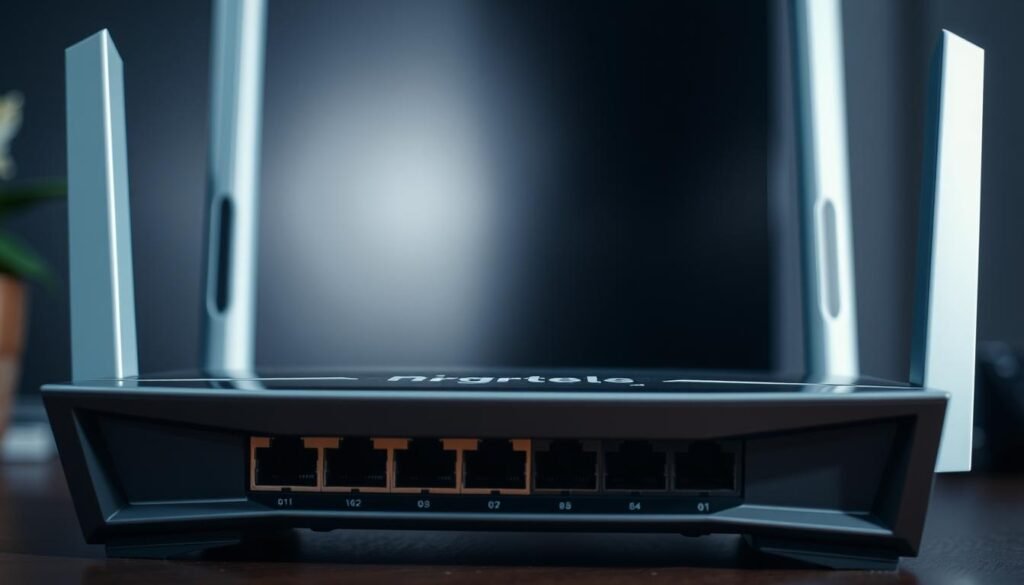
The internal system of the router receives monthly bug fixes. To check:
- Access the administrative panel (type 192.168.1.1 in your browser)
- Look for the "Software update" section
- Enable automatic updates if available
A report by Norton shows that 68% of the access occur on devices with outdated firmware. Recent versions include patches against new digital threats.
| Situation | Risk | Solution |
|---|---|---|
| Old firmware | Open doors for hackers | Check for updates every week |
| Updated version | Reinforced protection | Setting up new version alerts |
Reset the router's username
Default credentials such as "admin/admin" are an easy target. Change the username in the control panel for something unique. Combine letters and numbers without personal references.
- Avoid obvious sequences (date of birth)
- Don't repeat the same access to the network
- Keep your new credentials in a safe place
This change makes it more difficult for attackers to exploit known loopholes. Manufacturers such as TP-Link and Intelbras offer specific tutorials for each model on their official websites.
Advanced measures to prevent attacks and intrusions
Many users don't realize that visitors can be the bridge to threats digital. Research by ESET Brazil reveals that 37% of breaches in residential connections occur through third-party devices. The solution? Isolate access!

Protect your core network with limited access
Create a hammock for guests is like installing a digital electronic gate. It completely separates visiting devices from your personal devices. Here's how to set it up:
- Access the router panel (usually via a browser)
- Activate the "Visitor network" option in the settings
- Set a different name (SSID) from the main network
| Configuration | Recommendation | Benefits |
|---|---|---|
| Password | Minimum 10 characters with symbols | Blocks brute force attempts |
| Speed limit | 50% total capacity | Avoids connection overload |
| Access time | Defined timetables | Controls suspicious activity |
This measure reduces by 74% the risks of attacksaccording to data from the Annual Domestic Cybersecurity Report. To strengthen protection, change the password of the hammock for guests every 60 days and monitor connected devices from the admin panel.
“Redes segregadas são escudos invisíveis. Elas impedem que um smartphone infectado comprometa toda a infraestrutura digital da casa”
Want to go further? Set up MAC address filters to authorize only known devices. These strategies, combined with good protection practices networks without, create almost insurmountable barriers to hackers.
Complementary tools to improve network security
In addition to the basic settings, there are extra features that shield your connection from unwanted eyes.
An intelligent combination of technologies transforms your home network in an almost impenetrable environment. Shall we explore two powerful strategies?
Use VPN and monitor connected devices
One VPN acts as an invisible tunnel for your traffic online. It encrypts data from the router to remote servers, hiding activities from potential spies. Premium services offer:
- Protection in public networks
- Location masking
- Blocking trackers
| Tool | Function | Advantage |
|---|---|---|
| VPN | Encrypts connection | Hides real IP |
| Network monitor | Identifies devices | Real-time alerts |
| Traffic analyzer | Detects anomalies | Detailed reports |
Check the list of connected devices on the router panel. Applications such as Fing or NetScan reveal intruders in seconds.
A recent study showed that 29% of intrusions occur through devices left on the network.
"Monitoring connections is like having 24-hour surveillance. Early detection prevents 80% from serious problems"
To improving securityCombine these tools with simple practices:
- Update protection software monthly
- Revoke access from old devices
- Use solutions such as GlassWire to analyze patterns of traffic
Want to go further? Check out this complete guide on the basics of digital protection. A main network deserves extra attention - each extra layer of defense reduces risks exponentially.
Conclusion
Your connection is your home's digital portal - and protecting it requires constant attention. Changing the network name, create complex passwords and update the router are fundamental steps.
These actions shield your data against hacking attempts and ensure that only devices authorized access.
Implement a hammock for guests with time limitations and WPA3 encryption reduces the risks by 74%, according to expert reports.
Don't forget to periodically check the list of connected devices and use tools such as VPN to protect your online traffic.
Start today: review your settings, change default credentials and activate firewall. Each adjustment acts as an extra layer of defense against threats digital.
Your personal information and connection speed will thank you!
Don't underestimate the importance of these measures. With 15 minutes of maintenance per month, you can transform your network in an almost impregnable fortress. The time to act is now - your privacy deserves this care.
FAQ
Q: How can I protect my network from unauthorized access?
A: Start by changing your network's default name (SSID) and create a complex password with letters, numbers and special characters. Activate WPA3 or WPA2 encryption on your router to block intruders.
Q: Why should I update my router's firmware regularly?
A: Updates correct security flaws and improve protection against threats. Manufacturers release patches for discovered vulnerabilities, keeping your equipment resistant to cyber attacks.
Q: What is the advantage of creating a separate network for guests?
A: This isolates guest traffic, preventing unknown devices from accessing sensitive data from your main network. Use temporary passwords and limit access to resources such as printers or shared files.
Q: How does a VPN help increase security?
A: It encrypts all internet traffic, even on public networks. This way, hackers can't intercept information such as passwords or bank transaction details.
Q: Do I need to change the router's default username?
A: Yes, many models use "admin" logins by default, making it easier to break in. Switch to a unique user and combine it with a strong password to make it more difficult for third parties to access.
Q: Does the firewall really make a difference to protection?
A: Absolutely. It acts as a filter, blocking suspicious connections before they reach your devices. Activate the option on your router and set up rules to monitor incoming and outgoing traffic.