
What is Band Steering?
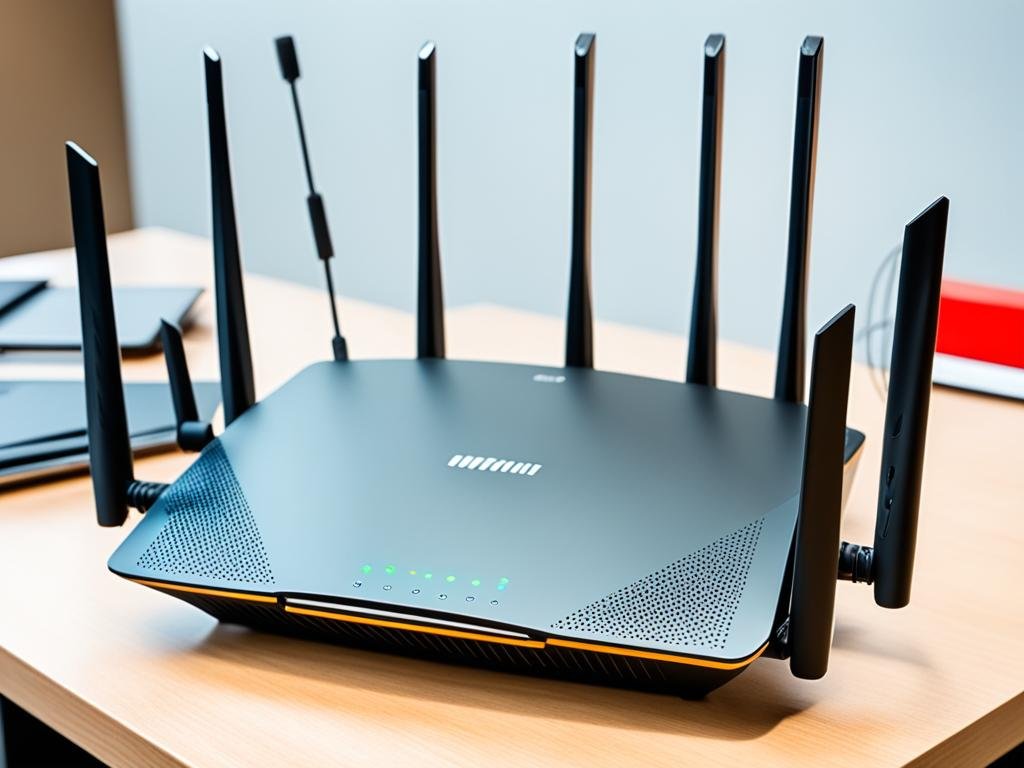
What is Band Steering?: Did you know that your connection Wi-Fi can it be better without doing anything? When your devices choose the frequency, your navigation changes. This can be good for you.
O Band Steering is a technology new. It improves how Wi-Fi networks use frequencies. This is good in crowded places like apartments.
Essa tecnologia faz os dispositivos usar a frequência 5 GHz. Isso torna a conexão mais rápida e estável. É ótimo para usar o internet muito.
Explore the Band Steering shows you how it makes life easier. And it also makes yours Wi-Fi network better. See how to use this tool for a better connection!
Introduction to Band Steering
A Band Steering technology has emerged to meet the growing demand for Wi-Fi. It optimizes the network, making it more efficient. Many networks use the 2,4 GHz and 5 GHz.

The frequency of 2,4 GHz has a lot of competition. This can cause interference and limit internet speed. The 5 GHz frequency, on the other hand, offers more bandwidth, improving the connection.
O Band Steering uses a steering mechanism. It connects devices to the 5 GHz band when possible. This improves internet speed and stability in crowded environments.
To activate Band Steering, the network name must be the same for all frequencies. This makes the connection more efficient for Dual-Band devices. With more mobile devices, managing Wi-Fi connections has become crucial.
| Frequency | Bandwidth | Competition | Signal Strength |
|---|---|---|---|
| 2.4 GHz | Limited | High | High |
| 5 GHz | Wide | Low | Low |
With Band Steering, managing the network is easier. This improves the Wi-Fi connection experience. The feature helps maximize the performance of your network, ensuring an optimal connection for all devices.

What is Band Steering?
Band Steering is an important technique in modern networks. Its mission is to improve the distribution of devices in the various frequency bands. With the increased use of Wi-Fi, especially in Brazil, this technique has become crucial for a better user experience and network efficiency.
Definition and basic concept
A definition of Band Steering talks about automatically redirecting devices to the 5 GHz band. This is done when this band is available. This method is vital for a faster connection and to avoid congestion in the 2.4 GHz band. A explanation of band steering shows how it works in environments with dual-band devices.
The importance of Band Steering in modern networks
A the importance of Band Steering is seen in its contribution to the advanced network technology. In locations with many devices, Band Steering ensures efficient use of bandwidth. By connecting devices to the 5 GHz band, it reduces interference and improves navigation. This is essential in a world where fast connection is paramount.
How does Band Steering work?
Band Steering is crucial for a fast and effective connection in wireless networks. It uses bandwidth redirection. This helps to handle many connected devices, making the user experience better.
Bandwidth redirection mechanisms
Band Steering directs devices to the 5 GHz band. This band has higher speeds than the 2.4 GHz band. Using "Prefer 5G" and "Balanced" makes the network more efficient. This is because old devices on 2.4 GHz can cause congestion.
APs interact with devices intelligently. They use channel scans and beacon frames to choose the band. Dual-band devices can use the 5 GHz network if certain conditions are met.
Interaction with dual-band devices
A interaction with dual-band devices is crucial for optimizing the network. Too many devices on 2.4 GHz can cause slowdowns. Band Steering helps move these devices to the 5 GHz band, freeing up the lower band.
For Band Steering to work properly, the settings of the 2.4 GHz and 5 GHz networks must be the same. This ensures that the devices are correctly redirected. This improves the quality and stability of the connection in environments with dual-band devices.
| Features | 2.4 GHz band | 5 GHz band |
|---|---|---|
| Speed | Up to 600 Mbps | Up to 1200 Mbps |
| Reach | Greater reach | Shorter range |
| Interference | Larger, due to more devices | Smaller, ideal for high performance |
| Multi-device capability | Reduced | Augmented with Band Steering |
Benefits of Band Steering
Band Steering brings many advantages to navigation and device connection. You'll notice better connectivity and efficiency. This is great in places with many devices.
Improved Wi-Fi connectivity
Band Steering improves Wi-Fi connectivity by redirecting devices to the 5 GHz band. This band has higher speeds and is less congested. This makes browsing faster.
In locations with many devices, this strategy is essential. It keeps the network efficient, avoiding overloading the 2.4 GHz frequency.
Reduced overload in the 2.4 GHz band
A reduced overload in the 2.4 GHz band is a major benefit of band steering. This band is more prone to interference and congestion. Redirecting devices to the 5 GHz or 6 GHz band helps minimize these problems.
This way, everyone on the network has a faster and more stable connection. This greatly improves wireless network optimization.
Advantages of Band Steering in wireless networks
Band Steering brings many advantages of band steering for wireless networks. It improves data transmission capacity and connection quality. It facilitates the distribution of devices between the 2.4 GHz and 5 GHz bands.
This makes the network more efficient and reliable.
Increased data transmission capacity
Band Steering increases data transmission capacity. It prioritizes the connection in the 5 GHz band. This band has more channels and a wider bandwidth.
This allows you to support more devices at the same time. Centralized configuration on a single SSID makes everything easier for the user.
Improved signal quality
Band Steering greatly improves signal quality. Devices connected to the band with the least interference have stable and reliable connections. This is great for high-speed activities.
Por exemplo, streaming de vídeos em 4K e jogos online. Um bom gerenciamento dos canais é crucial para melhorar a conexão em ambientes cheios ou com muitos obstáculos.
| Parameter | 2.4 GHz | 5 GHz |
|---|---|---|
| Reach | Larger, ideal for large rooms | Minor, difficulty in penetrating obstacles |
| Transmission speed | Slower, often congested | Faster, less interference |
| Device compatibility | Larger, including older devices | Smaller, may not support some devices |
| Use in data-intensive activities | Less efficient | Ideal for streaming and gaming |
With these improvements, Band Steering is essential for a efficient wireless network. It improves network performance and brings a better user experience.
The importance of Band Steering for network optimization
Band Steering is very important for optimize the network. It helps direct devices to the best frequency band. This makes the connection more stable and efficient.
As a result, devices make better use of the spectrum. This reduces congestion in the 2.4 GHz band.
Automatic bandwidth management
Band Steering optimization technology is crucial today. It reduces congestion in the 2.4 GHz band. This improves network performance.
Companies like Cisco and TP-Link use similar techniques. They seek to improve the user experience with the network. The combination of an efficient bandwidth manager and dual-band devices makes the network smarter.
Impact on user experience
Band Steering greatly improves the user experience. It makes the network service more reliable and faster. This is great for streaming, downloading and online gaming.
This optimization technology shows the quality of the service. It increases user confidence and satisfaction with connectivity.
| Plan | Download speed | Upload speed | Simultaneous devices | Price |
|---|---|---|---|---|
| Claro Internet 350 Mega | 350 Mbps | 35 Mbps | Up to 5 | Variable |
| Claro Internet 500 Mega | 500 Mbps | 50 Mbps | Up to 7 | Variable |
| Claro Internet 750 Mega | 750 Mbps | 75 Mbps | Up to 10 | Variable |
| Claro Internet 1 Giga | 1,000 Mbps | 500 Mbps | More than 10 | Variable |
How to implement Band Steering?
To how to implement band steering em sua rede Wi-Fi, siga algumas etapas. Primeiro, acesse as configurações avançadas do seu roteador. Procure a opção de ativação do Band Steering.
Check that the band steering activation is active. Make sure that the devices you want to connect are compatible with the 2.4 GHz and 5 GHz bands.
Configuration on Wi-Fi routers
After activating Band Steering, do some ajustes em roteadores. Set the SSIDs of the 2.4 GHz and 5 GHz bands to the same name. This helps the devices to switch between the bands effectively.
Avoid congesting the 2.4 GHz band. It can get a lot of interference from other devices.
Configuration optimization tips
To get the most out of Band Steering, follow these steps configuration optimization tips:
- Monitor network performance and adjust settings when necessary.
- Decrease the transmission power of the 2.4 GHz band. This can help direct devices to the 5 GHz band.
- Use a network configuration that prioritizes the 5 GHz band for high-demand devices.
Band Steering in modern routers
Choosing modern routers is very important for a good connection at home or at work. The dual-band routers are widely used today. They help to compare devices with and without Band Steering, improving network efficiency.
Comparison between devices with and without Band Steering
See comparison between devices with and without Band Steering shows a big difference. Routers with Band Steering move devices to the best frequency. This makes connections faster and more stable, even with many devices connected at the same time.
| Features | Devices with Band Steering | Devices without Band Steering |
|---|---|---|
| Transfer rate | Up to 1,300 Mbps (5 GHz) | Up to 300 Mbps (2.4 GHz) |
| Network efficiency | High, reduced competition for bandwidth | Low, higher device congestion |
| Bandwidth Management | Automated | Manual, less efficient |
| Device compatibility | Support for both 2.4 and 5 GHz | Limited to 2.4 GHz in many cases |
The role of dual-band routers in today's technology
The dual-band routers are essential for modern connectivity. They operate at 2.4 GHz and 5 GHz. The 5 GHz frequency is faster and less affected by interference.
Além disso, é possível criar redes Wi-Fi para visitantes, aumentando a segurança. Aplicativos de gerenciamento de rede tornam fácil configurar e melhorar a rede. Escolher os melhores roteadores é crucial para uma rede eficiente e que atenda às suas necessidades.
Final thoughts on Band Steering
The final thoughts on Band Steering are essential to understand the importance of network optimization in modern Wi-Fi configurations. Techniques such as Band Steering are crucial for a fast and stable connection. They direct devices to the best frequency band, improving the efficiency and performance of networks.
You, as a user, will notice improvements in the connection. This is especially true in environments with many connected devices.
Modern Band Steering technology solves congestion and interference problems. It makes devices connect to the 5 GHz band, which is faster and has less congestion. This is great for businesses and homes, where a good network is essential.
With Band Steering, your network is not only faster, but also more stable and with a better signal. This technology is essential for a connected experience better. It shows the importance of network optimization today.
Conclusion
A conclusion about Band Steering shows its importance for improving wireless networks. It switches devices to the 5 GHz band automatically. This improves the connection and makes online use smoother.
With more devices connected, the need for fast connections is growing. Band Steering is a good solution. O technology at a glance shows how to use frequency bands to avoid interference.
Using Band Steering on modern routers is very important. It helps to improve the internet experience. In a world full of connections, this technology makes a big difference.
FAQ
Q: What is Band Steering?
A: Band Steering is a technology that improves Wi-Fi connections. It directs devices to the 5 GHz band. This makes connections faster and more stable.
Q: What are the benefits of Band Steering?
A: Band Steering greatly improves Wi-Fi connectivity. It reduces overload in the 2.4 GHz band. This increases data capacity, making the user experience more efficient.
Q: How does Band Steering work?
A: Band Steering uses mechanisms to detect devices on the network. It redirects compatible devices to the 5 GHz band. This frees up the 2.4 GHz band.
Q: How can I implement Band Steering on my router?
A: To use Band Steering, go into your Wi-Fi router's settings. Enable the Band Steering option. This is important for dual-band devices.
Q: Is Band Steering important in wireless networks?
A: Yes, it's very important. It improves the performance of wireless networks. It allows automatic bandwidth managementimproving the user experience.
Q: What do I need to know about dual-band routers and Band Steering?
A: Dual-band routers are crucial for Band Steering. They efficiently use the 2.4 GHz and 5 GHz bands. This ensures the best possible connection, depending on what you need.
Source links
- Band Steering
- Band Steering - Intelbras Forum
- Band Steering - Wireless - 4Future
- Wireless Band Steering
- How to Configure Band Steering on TP-Link Omada Controller
- Band Steering: How to Optimize the 5G Band on Wi-Fi Networks?
- Understand how 2.4 GHz and 5 GHz frequencies affect your Wi-Fi
- Wi-Fi Mesh Extenders: for your Home Internet
- How the 2.4 GHz, 5 GHz and 6 GHz bands of Nest Wifi and Google Wifi work
- What it is : Band Steering - Resumos Só Escola
- Wi-Fi: 2.4GHz + 5GHz on the same network, or separate networks?
- 2.4GHz VS 5GHz: WHAT'S THE DIFFERENCE?
- Maximizing Wireless Connections: Exploring the Advantages and Disadvantages of 2.4 GHz and 5 GHz Wi-Fi
- Wi-Fi - Band Steering or Band Select
- Wifi Mesh Claro: 0800 204 4141 | Extend signal coverage
- Dual band AC technology in routers: questions and answers |
- what is band steering
- What it is : Band Steering - SÓ ESCOLA
- what is band steering
- Santana Electronics
- Novazul



 Portuguese
  English