

Have you ever felt overwhelmed with so many tasks and deadlines, wishing you had more time and organization? In an increasingly digital and fast-paced world, the search for productivity efficient has become essential for all of us.
We at Tech by Tehub understand this need and have prepared a complete guide to help you. Let's explore the best productivity apps that can really make a difference in your day-to-day life, simplifying your routine and boosting your results.
Understanding Digital Productivity
We live in an era of constant stimuli and notifications that never stop.
We know how easy it is to get lost among emails, social media, and work messages.
Digital productivity isn't about doing more things in less time.
The true concept is about doing what matters with the highest possible quality.
Nós acreditamos que a tecnologia deve servir como uma ponte, não como um obstáculo.
Many people blame smartphones for the lack of focus, but the problem isn't the device.
The secret lies in how we configure our digital environment work.
When we use the right tools, we can automate the tedious and focus on the creative.
Modern productivity demands that we be curators of our own tasks.
This means choosing apps that truly bring mental clarity and organization.
In this article, we will explore how to transform your device into an efficiency hub.
Get ready to discover how technology can finally work for you.
Essential Task Managers
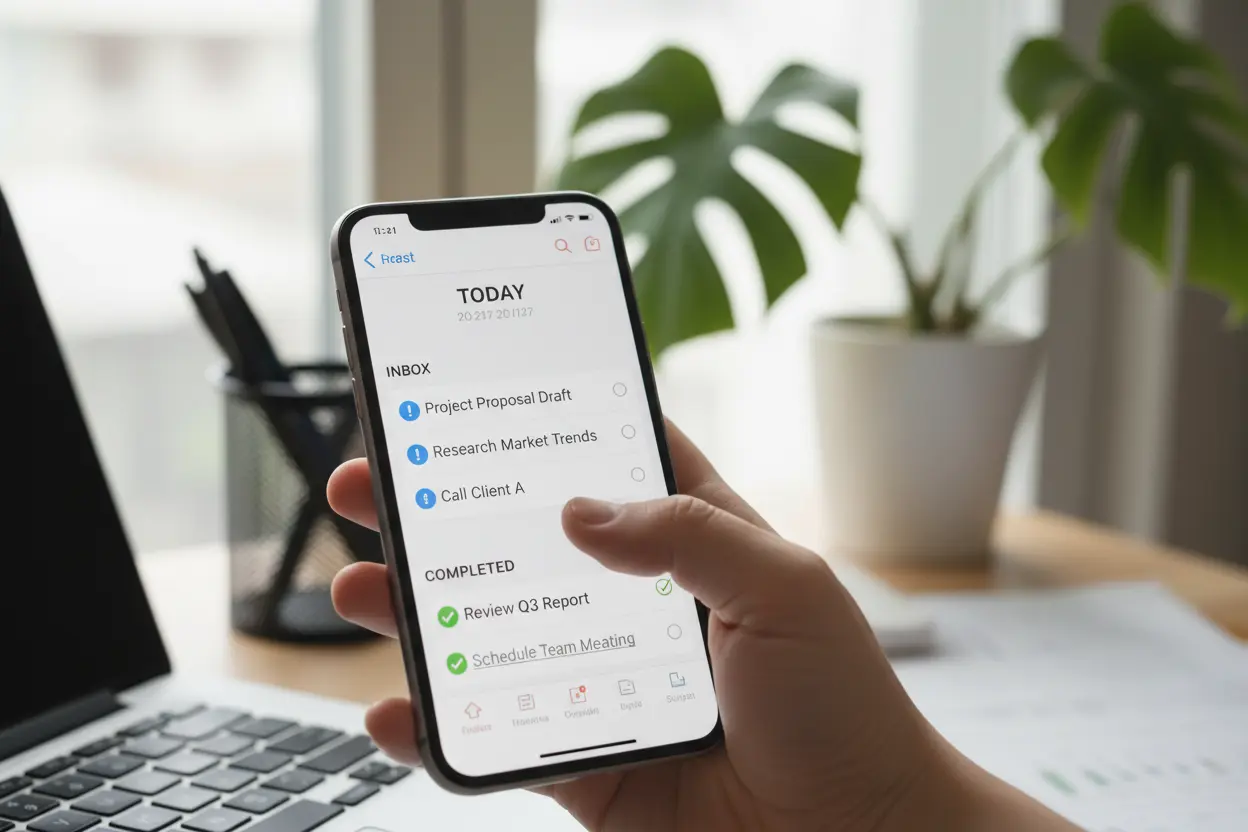
The first step to a productive day is getting ideas out of your head and onto a list.
We recommend starting with a good Task Manager, the heart of any system.
O Todoist it's one of our favorites for its simplicity and intelligence.
It allows us to use natural language to create reminders, like “meeting tomorrow at 10 am.”.
The TickTick goes beyond and offers an integrated calendar and a stopwatch Pomodoro.
It's the ideal choice for those who like to see everything in one place without switching tabs.
For those who already live in the Windows ecosystem, the Microsoft To Do it's the most fluid option.
It integrates seamlessly with Outlook and allows you to plan your day with the “My Day” feature.
Below, we've prepared a quick comparison to help you choose:
| Application | Main Advantage | Usage Style |
|---|---|---|
| Todoist | Ease of entry | Minimalist and fast |
| TickTick | All-in-one resources“ | Complete and visual |
| MS To Do | Office 365 Integration | Corporate and free |
Regardless of the choice, the important thing is to maintain consistency in recording activities.
We suggest that you review your list every day before the previous day ends.
This ensures that when you wake up, you'll already know exactly where to start.
Apps for Focus and Concentration
Having a to-do list is great, but executing it requires a scarce resource: attention.
We face a daily battle against distractions that steal our energy.
To overcome this challenge, there are apps focused on creating a “flow state.”.
O Forest It's a fun and extremely effective solution for those who use their cell phones a lot.
Ao iniciar um foco, nós plantamos uma árvore digital que cresce enquanto não saímos do app.
If we give in to the temptation to open the Instagram, the tree dies instantly.
This gamification technique creates a powerful visual incentive to maintain focus.
Another essential tool is the Freedom, which blocks websites and apps on all your devices.
We can schedule focus sessions where social media access is impossible.
For those who prefer classic methods, apps Pomodoro Timer are excellent allies.
They divide the work into 25-minute blocks with short breaks.
This technique helps keep the brain rested and ready for the next task.
We've noticed that when using these tools, mental fatigue decreases drastically.
The focus shifts from being an effort to becoming a natural habit of your day.
Note-Taking and Idea Organization Tools
Capturing information and organizing knowledge is what we call building a “second brain”.
O Notion revolutionized this category by mixing notes, databases, and projects.
We can create anything from a simple shopping list to a complex business management system.
Its flexibility allows the application to mold itself exactly to what we need.
For those seeking speed and organization through labels, the Evernote It remains a giant.
Your ability to search within PDFs and images is, to this day, one of the best on the market.
The OneNote, from Microsoft, functions as an infinite and very visual digital notebook.
We love the freedom of writing anywhere on the screen, as if it were real paper.
Here's how we suggest organizing your note system:
- Quick Capture: For ideas that come to you in traffic or the shower.
- Focus Areas: Separate personal life, work, studies, and hobbies.
- Dead File Save what has already been completed, but could be useful in the future.
Having a centralized location for your information reduces the anxiety of forgetting something important.
We recommend that you choose only one tool to avoid data dispersion.
The organization should be simple so that you spend time executing, not organizing.
The Best Apps for Collaborative Productivity
Productivity is rarely a solo endeavor in modern professional environments.
We need tools that facilitate communication and transparency between teams.
O Trello he's the king of method Kanban, using cards and columns to show progress.
It's perfect for visualizing who's doing what and what the next steps are.
For more complex projects with rigid deadlines, we recommend the Asana.
It offers timeline views and dependencies that help predict bottlenecks.
For immediate communication, the Slack Masterfully replaced the endless emails.
We can organize conversations by thematic channels, keeping the focus on the subject.
The big advantage of these platforms is the reduction of unnecessary status meetings.
When everyone has access to the project's progress, team trust increases.
We observe that digital collaboration eliminates common noise and misunderstandings.
Working together becomes a fluid process, even with remote teams.
Remember: a collaborative tool only works if we all feed it correctly.
Workflow Automation and Optimization
Have you ever felt like you waste a lot of time doing repetitive and manual tasks?
We believe that “copy and paste” work should be done by machines.
Tools such as Zapier and IFTTT are the keys to that freedom.
O Zapier Connect thousands of different apps to create automatic workflows.
For example, we can configure it so that all email attachments are saved in Google Drive.
Or that each new sale in an online store automatically creates a task in Trello.
O IFTTT (If This, Then That) works similarly, but with a focus on devices and social networks.
We can automate posting photos to multiple networks at the same time.
Automation is like having a personal assistant working for us 24 hours a day.
At first, it might seem difficult to set up, but the return on investment is enormous.
We suggest starting by mapping out which tasks you do mechanically every day.
These are the perfect candidates to be automated today.
Fewer manual clicks mean more time for what truly adds value to your business.
Tips for Integrating Applications and Maximizing Gains
It's no use having dozens of apps if they don't talk to each other in your day-to-day life.
We recommend creating a Minimalist ecosystem to avoid overload.
Choose a task app, a notes app, and a focus app; avoid having two from the same category.
The integration between them is what creates a truly powerful workflow.
Try connecting your calendar to your task manager to see your real deadlines.
We also suggest that you disable all non-human notifications.
Alerts for promotions or likes are mortal enemies of your productivity.
Another golden tip is to do a monthly “digital cleanse” of your installed apps.
If we haven't used a tool in the last 30 days, it's probably not essential.
Technology should be lightweight and intuitive so that we enjoy using it.
Your productivity system should evolve as your needs change.
Start slow, test one tool at a time, and observe how your routine transforms.
Did you like learning about these tools? Then don't stop here! Subscribe to our newsletter to receive exclusive tech tips directly in your inbox and transform your routine right now!
Your Next Level of Productivity Starts Now!
We've seen how technology can be a powerful ally in the pursuit of a more organized and efficient life. With the best productivity apps By your side, the path to achieving your goals becomes clearer and more accessible.
Which of these apps do you already use or plan to try? Share your experiences and tips in the comments below! Your opinion is very important to us at Tech by Tehub
FAQ - Frequently Asked Questions About the Best Productivity Apps
We prepared this section to answer your main questions and help you master the best productivity apps with total confidence.
Most of the tools we mentioned offer robust free versions that serve individual needs very well. We recommend that you explore the free plans first and only upgrade if you feel the need for advanced features or greater storage capacity.
The secret is to identify your biggest “bottleneck,” whether it's task organization, focus, or project management. We suggest choosing one tool at a time to test for a week, ensuring it fits your workflow before adopting several simultaneously.
Yes, the vast majority of best productivity apps funciona em nuvem e oferece sincronização automática entre computadores, tablets e smartphones. Isso permite que nós tenhamos acesso às nossas notas e tarefas em qualquer lugar, mantendo o fluxo de trabalho sempre atualizado.
Certainly, that's why we advocate for the “less is more” concept. The ideal is to create a lean ecosystem where tools integrate with each other, preventing you from wasting time jumping between too many different platforms.
No, tools like IFTTT and Zapier are designed to be intuitive and do not require programming knowledge. We believe that by taking a few minutes to set up simple rules, you'll be able to eliminate repetitive tasks and focus on what truly matters.